Exploring Interaction design, MacOS development, and solo design+dev project execution.
AI Disclosure
Some parts of these notes were clarified and refined using AI tools such as ChatGPT, Gemini, and Claude to enhance clarity and readability. All ideas are my own, and I reviewed and edited all texts myself.
/
Context
(01)
Productivity tool
Need for a tool for multi-tasking
Interaction design
Course assignment
AIxHuman Interactions
Interest
Native MacOS development
Interest
Mental off-loading
Practise
Dopamine
*
/
Challenge
(02)
Challenge.
As someone with an attention deficit disorder who regularly juggles many projects, 8+ desktops with multiple windows each, I rely heavily on mental offloading — todo apps, notepads, brain dumps, file dumps. I tried Dropzone, Stickies, Raycast, Dropover, and more, but none offered what I truly needed: something visible yet unobtrusive that keeps all my projects in sight, with per-project notes and todos, and AI-powered file analysis so I can search by meaning, not just filename.
/
Problems
(03)
Context Switching Breaks Focus During Capture
Issue:
Capturing content requires leaving current task to open Notes/Finder.
Impact:
20+ seconds lost per switch; cognitive fatigue accumulates.
"Out of Sight, Out of Mind" for Saved Content
Issue:
Saved files/notes disappear from view immediately after capture.
Impact:
Forgotten assets, duplicated work, anxiety about "missing something."
Fragmented Per-Project Organization
Issue:
One project's assets scattered across 4+ apps (Notes, Reminders, Finder).
Impact:
Time wasted hunting context; mental load tracking app locations.
File Search by Name, Not Meaning
Issue:
Can't search "pdf with graphs" — only filenames are indexed.
Impact:
Manual folder browsing, important files get lost.
Floating Tools: Intrusive or Invisible
Issue:
Existing tools are either always in the way or quickly forgotten.
Impact:
Users abandon floating tools, losing the visibility benefit.
/
Vision
(04)
"Pockets transforms multitasking by providing persistent, intelligent capture points that float above your workflow. Drop anything → AI organizes it → access it later — all without breaking focus."
/
Define
(05)
Target audience
"People managing cognitive overload who want an external working memory, not another file hierarchy."
macOS users who handle multiple projects, tasks, and files daily
Freelancers, students, product and creative roles. Some with self-reported ADHD or organizational difficulties.
Power users
Familiar with Spotlight, shortcuts, scripts
Daily Mac use, multi-project workflow, works with todos and files
Inclusion
Non MacOS users, do not work with todos and files
Exclusion
self-reported ADHD or organizational difficulties
Secondary
/
Desk Research
(06)
Competitors & Gaps
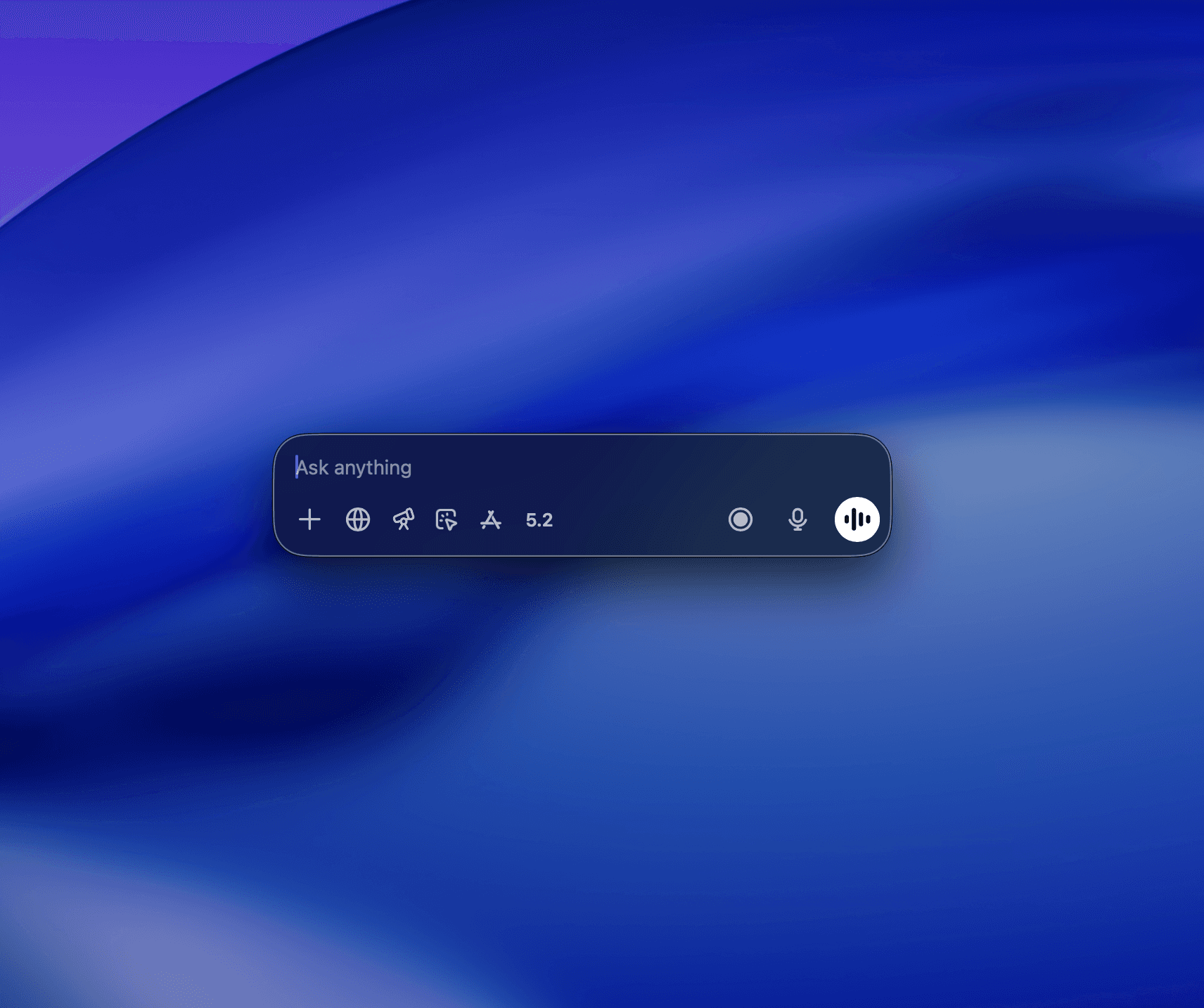
ChatGPT Floating Window
AI chat only, no local file storage, no organization, not a capture/staging tool
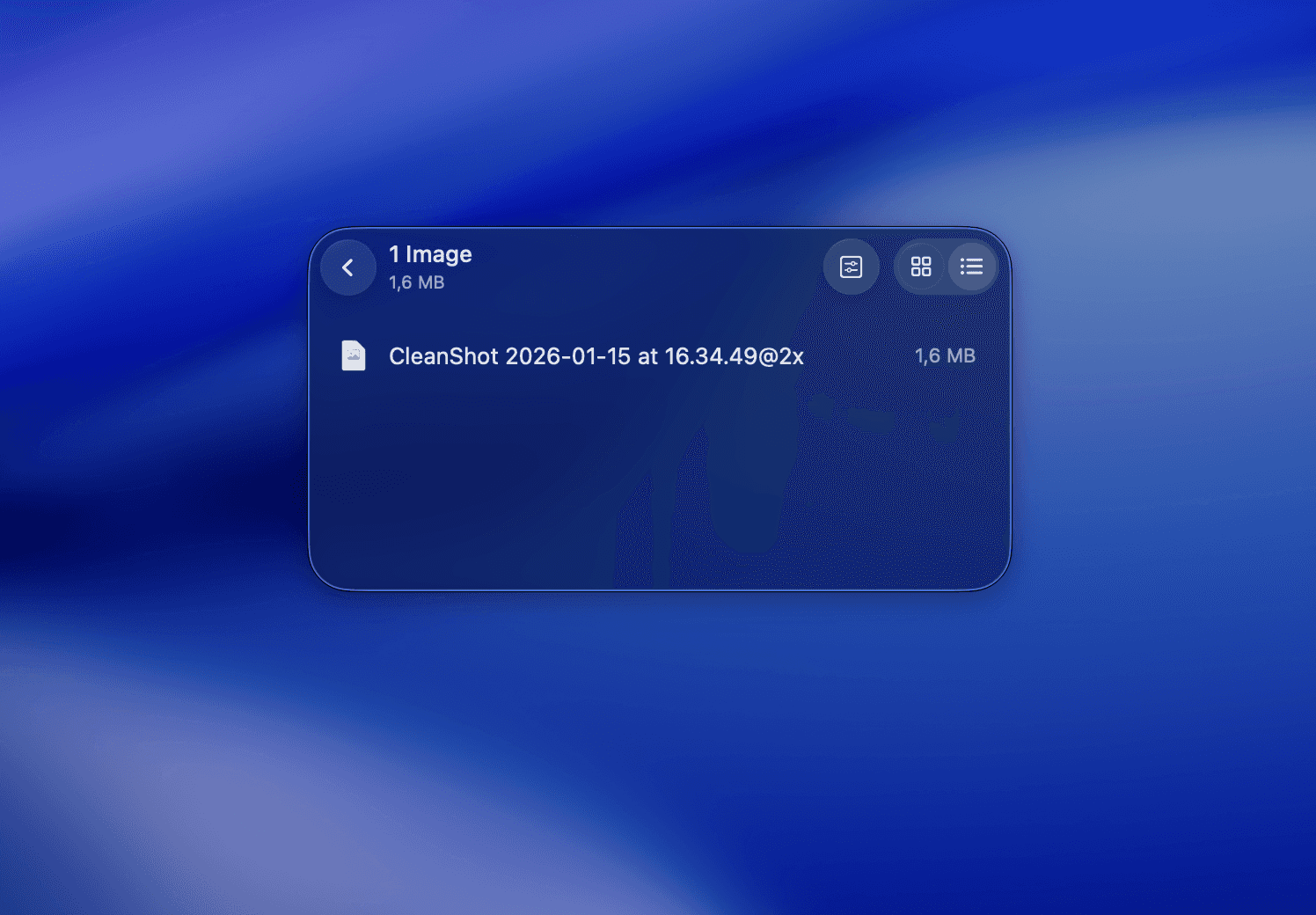
Dropover
Single temporary shelf, no persistence between sessions, no AI, no notes/todos
/
How might we
(07)
"HMW help knowledge workers who multitask across many projects keep their context visible without cluttering their workspace, while intelligently organizing captured content?"
/
Ideation
(08)
Generating ideas
Brainstorming
Mind Mapping
Analogies
Steal like an Artist
/
Prioritization
(09)
Making it doable
MoSCoW
Must have, Should have, Could have, Won’t have
Impact/Effort Matrix
Time, feasability, impact, tech stack
/
Before prototyping
(10)
References & Resources
/
Prototype
(11)
Protype/Build
7500 CZK
In Claude Code and other AI APIs usage.
For the first functional build with all necessary features for the 1st round of testing
5-8 Agent Runs
per selected concept


/
Develop
(12)
MVP.
Pockets
AI-enabled floating-pocket productivity tool for multitasking.
A place to create notes, todos and store your files, images and text snippets with smart analysis and categorization using GPT Vision.
Productivity tool
for MacOS
Floating windows
for always visible context
AI Enabled
files sorting
Todos
feature
Notes
feature
Functional build
ready for user testing
User Interface.
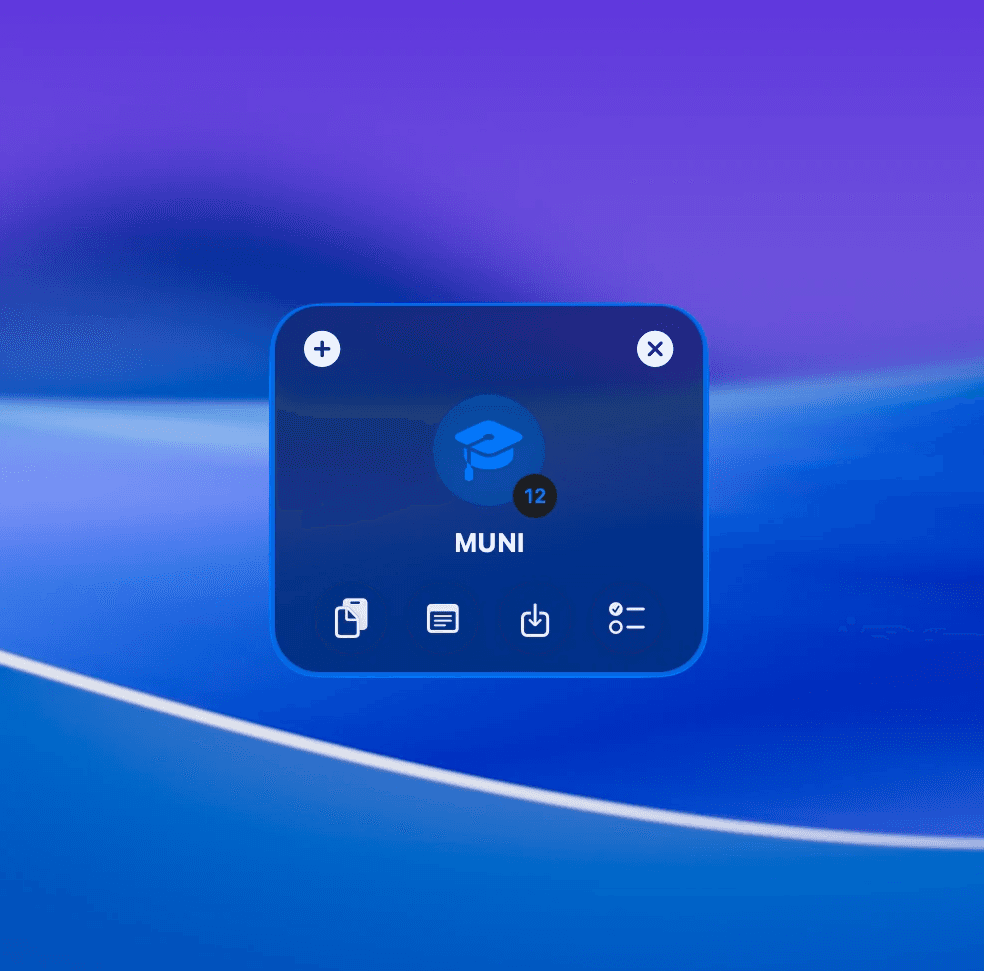
border for selected pocket state
liquid glass for unitrusive feel
main action items/use-cases grouped together
uses Apples SF Symbol and MacOS design language for familiarity

Features.
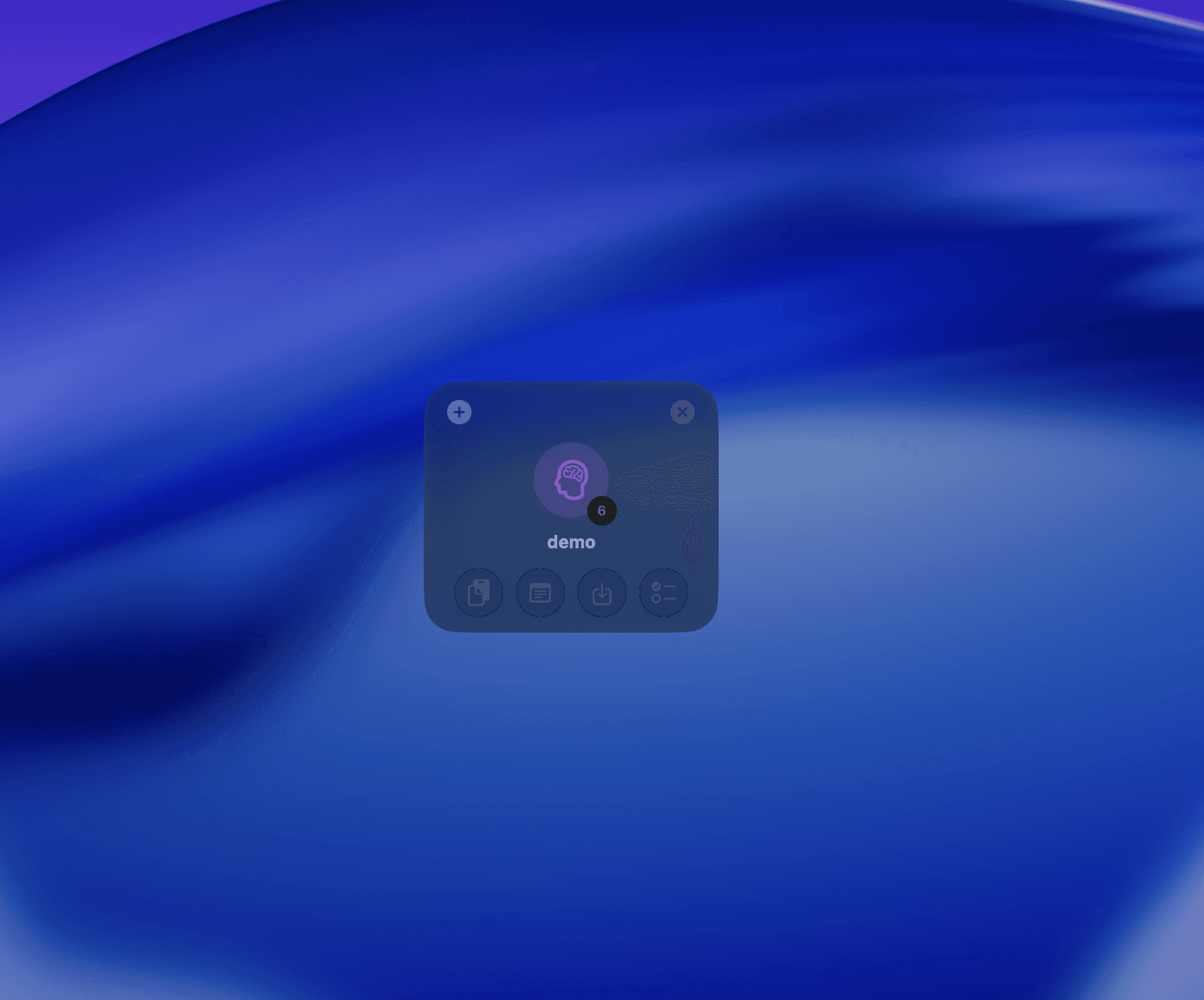
Collapsed Pocket
Perfect for when you need to focus on your windows.
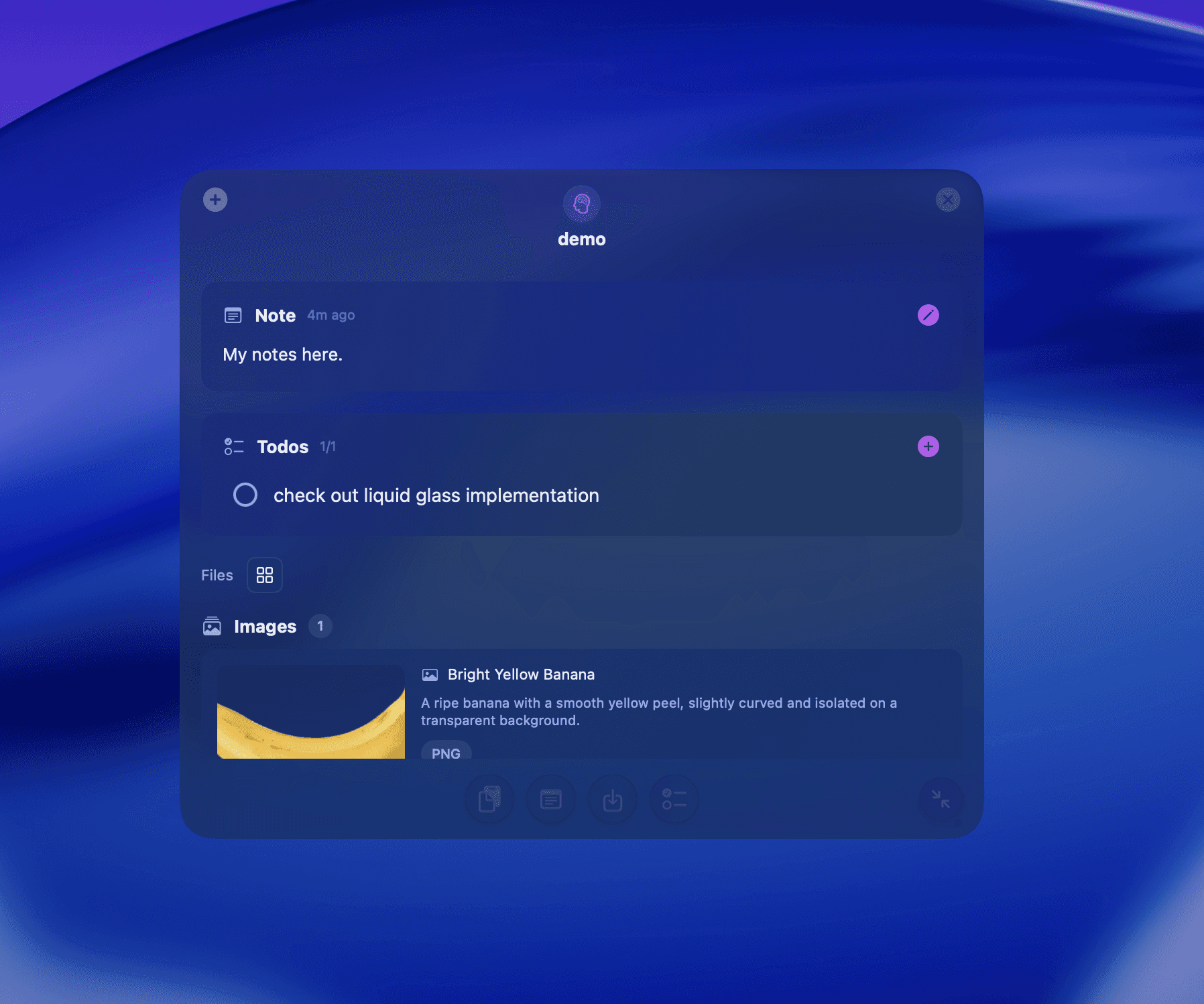
Expanded Pocket
See your todos, notes and files.
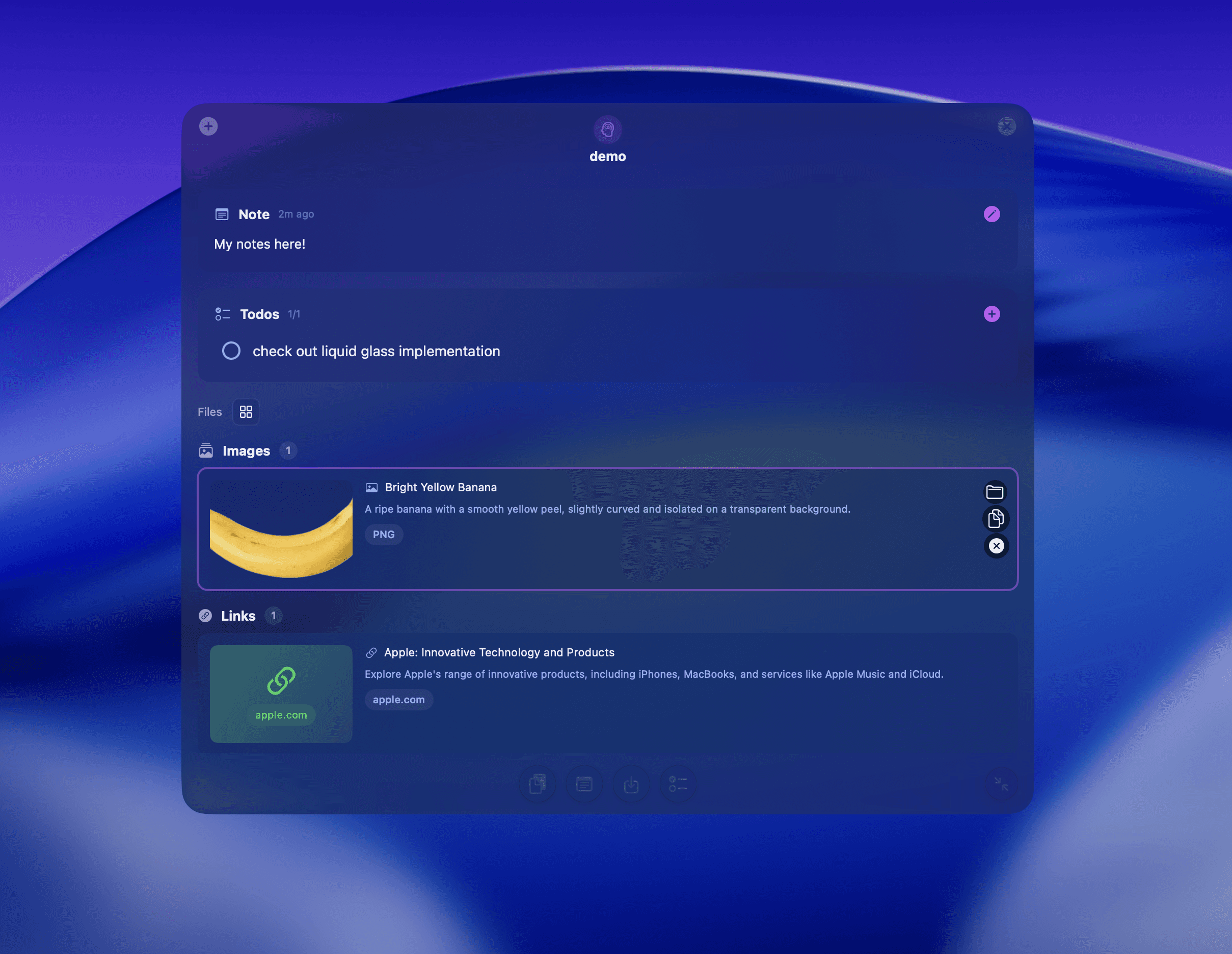
AI files categorization
GPT Vision reads the content and categorizes your imported files.
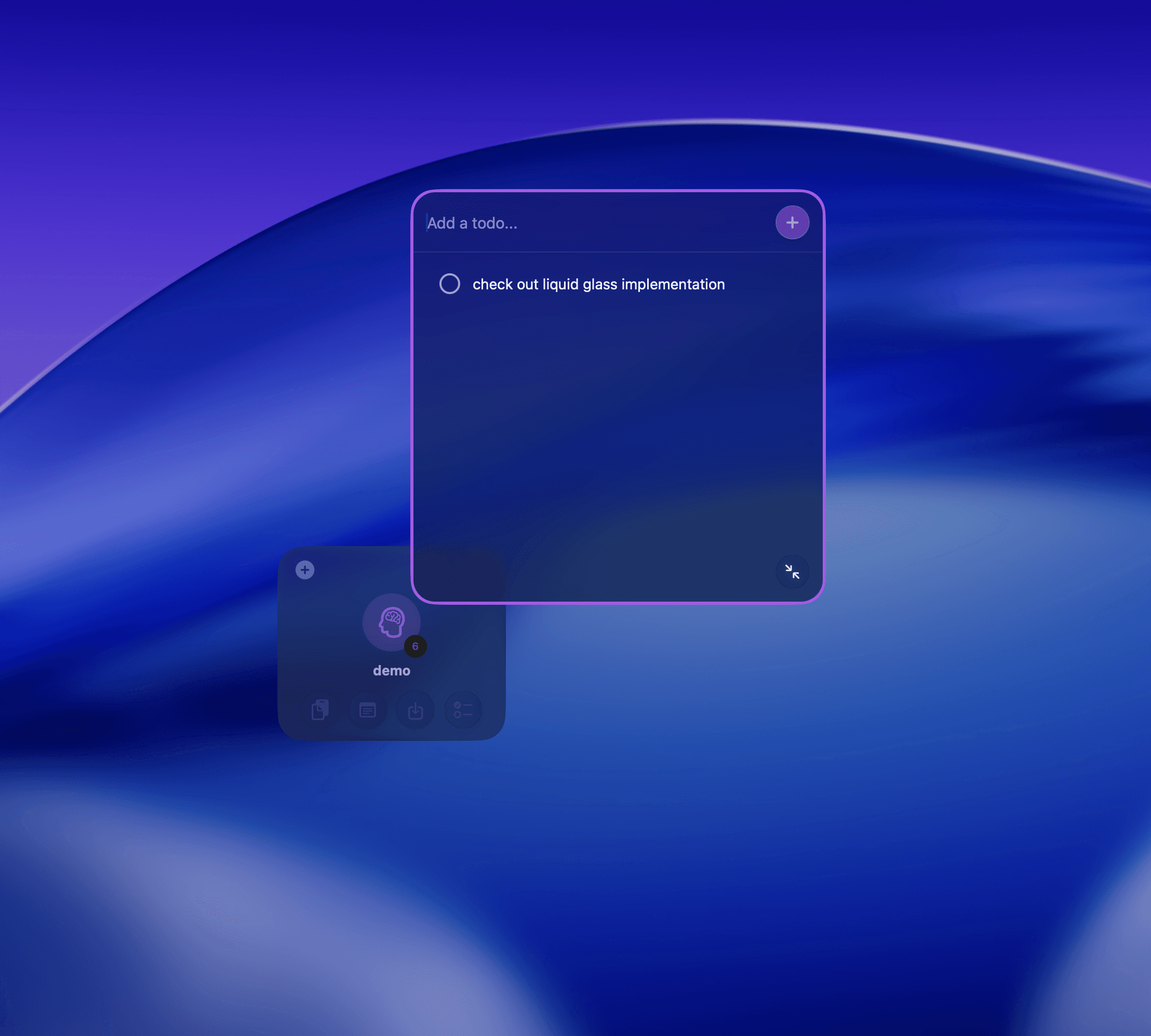
Todos
Add your project tasks.
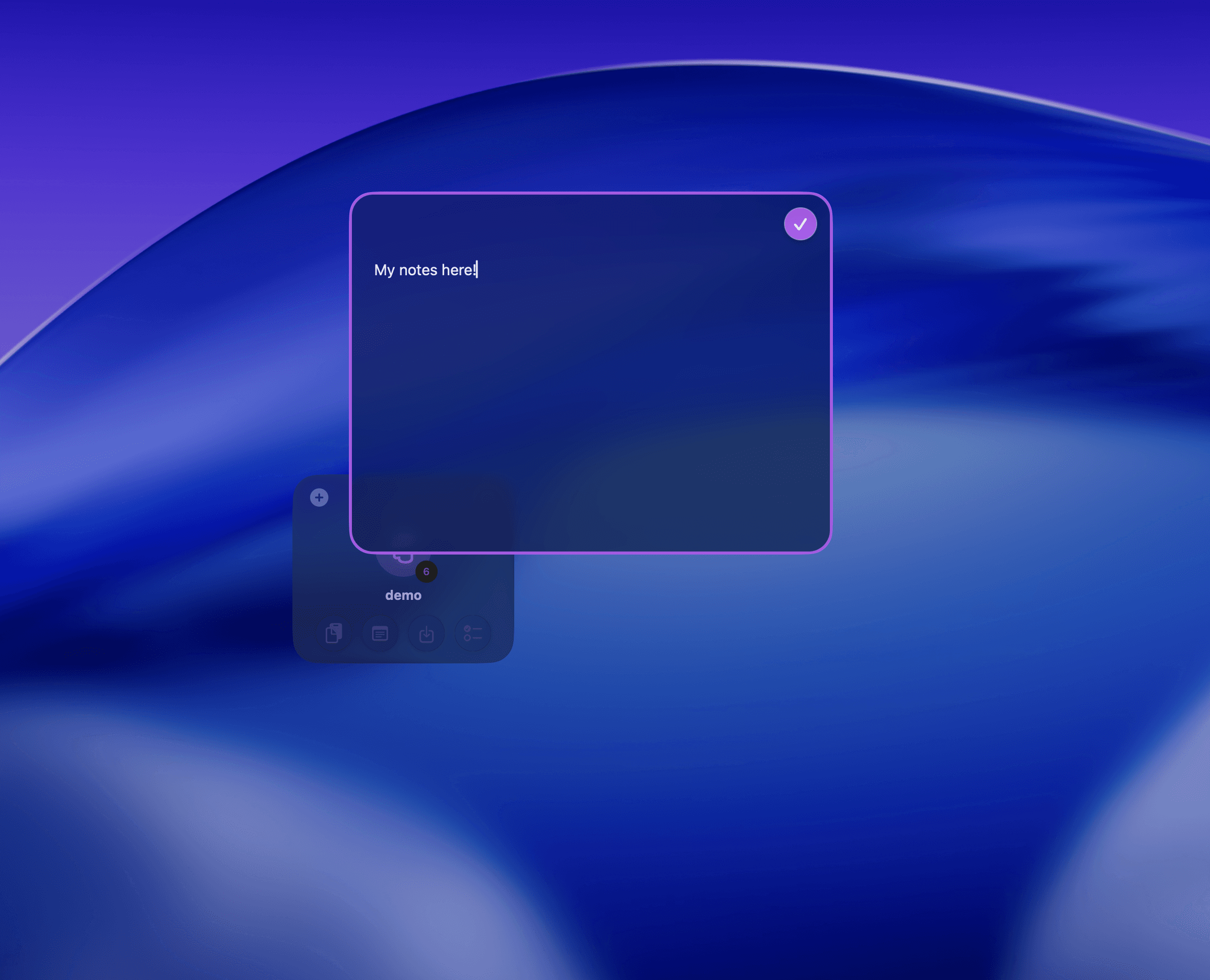
Notes
Jot down your ideas.
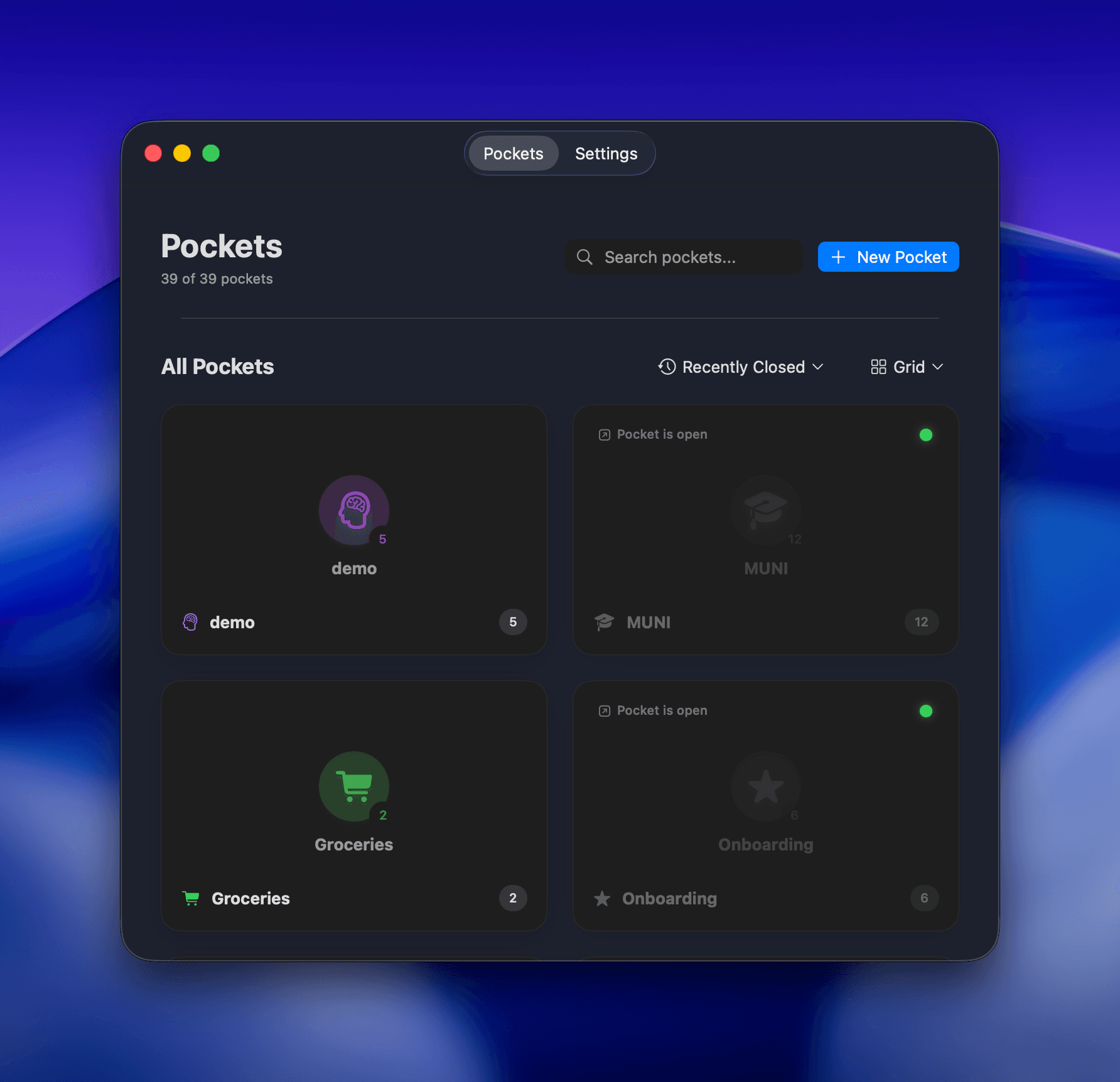
Dashboard
Manage your pockets - reopen, edit, settings.
MVP demo.
/
Testing
(13)
User Testing
Scope
3 core use-cases
Todo
Mental model of local storage
Todo, Dashboard, file workflow
Gather insights for onboarding
Todo, Dashboard, file workflow
Participants
8 macOS users from knowledge-work roles
software engineering, UX design, medical doctor, productivity geeks,…
Each participant completed 3 tasks
Todo, Dashboard, file workflow
Metrics captured
Task success (4 levels)
Fully successful / minor issues / partial / fail
Time
Time on task (number of steps)
Errors (E1–E4)
E1 (Missed affordance) / E2 (Wrong mental model) / E3 (Unclear label/icon) / E4 (Unreadable system state)
Self-report
SEQ after each task, UMUX-lite at the end
/
Task & Performance Summary
(14)
Task 1
Create a Todo in a Pocket
-A user who likes swimming.
Success rate
avg. SEQ
Task 2
Open/Close a Pocket from the Dashboard
-A coffee lover.
Success rate
avg. SEQ
Task 3
Insert and Share a File
-A participant that is not working in technology.
Success rate
avg. SEQ
/
Hypotheses vs Results
(15)
H1
At least 80% of participants will complete each task fully successfully without help.
H2
The file-sharing task will reveal gaps in the storage mental model. Given the file-centric macOS paradigm where users typically manage and share files via Finder and system folders like Downloads/Documents, some participants will first search in Finder or Downloads, not in Pockets.
H3
Task 1 (create a Todo) will be the fastest and most successful because it builds on familiar todo patterns. Task 2 (open and close a Pocket from the Dashboard) will be moderately difficult due to managing the state of a floating element. Task 3 (insert and share a file) will be the slowest and most error-prone due to discovering the file-insert flow and expectations about a system file location outside the app.
/
Key Insights and Overall Impression
(16)
UMUX-Lite Results
“This app meets most of what I’d need from a tool like this.”
Scores 5/7.
“This app is generally easy to use.”
Scores roughly 4/7.
Summary
Strong concept potential, but current UI demands too much cognitive effort for a plug-and-play productivity tool (no app onboarding in this experiment round)
/
Addressing insights
(17)
Iteartions
Insight #1.7.3
Floating Pockets can be intrusive

Mini
Perfect for when you need to focus on your windows.
Collapsed
Perfect for when you need to focus on your windows.
Expanded
Perfect for when you need to focus on your windows.
Introduced a new Mini view for the pockets that is less intrusive then the Collapsed view. In the 1st Experiment run, participants used smaller screens resulting in a cluttered desktop as the floating pockets always stay on top of all active app windows.
Insight #2.2.5
Pockets can only be moved individually
Added a context menu options to move all active pockets to screen edges or a selected individual pocket. This issue was an insight from the 2nd testing run as in an open exploration, an idea of batch selecting pockets was discovered by a user with a mental model of how selecting files natively works on MacOS.
Insight? #1.7.1
Missing on-hover tags
Discovered during Task 1 execution.
/
Next Steps
(18)
.
/
Take-aways
(19)
The good.
Actionable insights, clear interest, Think aloud lite, AI enabled design+dev, community, follow-up debate regarding AIxHuman Experiences, and the impact to UIs
The bad.
Case study, VisionXSolution, MethodologyXDelivery with a solo project, research with new interaction model, security,
/
Try Pockets
(20)
Interested in testing Pockets now?
I’d love to hear your feedback!
Pockets is in unsigned alpha testing with a bring-your-own OpenAI API Key.
Beta release starting February 2026, invite only via TestFlight.